Ubuntu has a pretty snazzy notification system and, as it turns out, its really easy to use it in your scripts. At its core is libnotify, which is already somewhere on each Ubuntu system. To talk to it in your Ruby scripts you need to install the bindings for Ruby and the gem.
sudo aptitude install libinotify-ruby libgtk2-ruby libnotify-dev;
And then:
sudo gem install libnotify
Once thats done, fire up IRB:
irb(main):018:0> require ‘date’
=> true
irb(main):019:0> require ‘rubygems’
=> true
irb(main):020:0> require ‘libnotify’
=> true
irb(main):021:0>Libnotify.show :summary => “#{Date.today}”, :body => “Happy #{Date::DAYNAMES[Date.today.wday]}!”
=> true
The “require ‘date'” is only there because IRB doesn’t seem to include Date (or doesn’t include all of it) for some reason. The result:
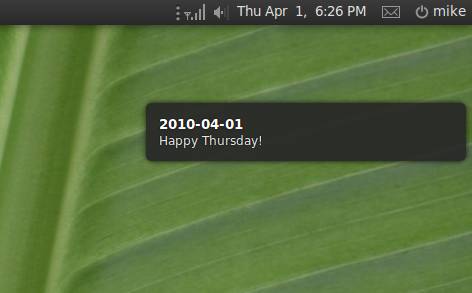
How awesome is that?
That is awesome!