There have been a few occasions where I have found myself with an album saved as a single flac file, a cue file and no idea what to do next. Well it turns out that splitting flac files according to a cue sheet is a pretty easy thing once you have the right software. The right software in this case is the rather unlikely-to-ever-turn-up-in-your-google-search program gCue2tracks.
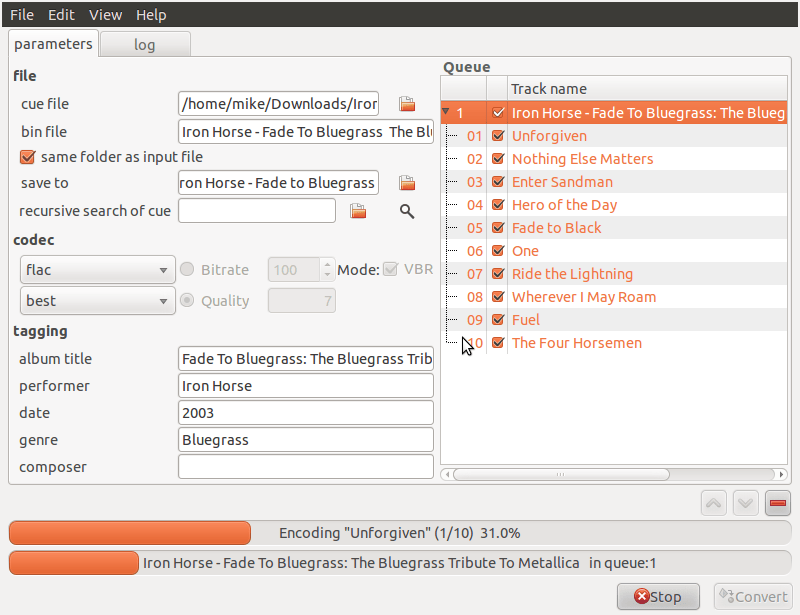
Its simple enough that it really doesn’t warrant any explanation. Simply point it to the cue file and click convert. It works on flac, ape and several other files. An easy to install deb file can be found here. If it complains about needing “oggenc” when you try to use it just run “sudo apt-get install vorbis-tools” and it will install the ogg encoder gCue2Tracks is looking for. Likewise if you ask it to save as flac it may complain that it can’t find “flac”… the solution is “sudo apt-get install flac”.
For the moderately more adventurous, pulling the current version from the repository is also an option. It will get you the current version (5.2) but there are no any significant changes since 2010. Its easy to do in any case:
sudo apt-get install mercurial #so you have the hg command installed
hg clone http://trac-hg.assembla.com/gCue2tracks/
cd gCue2tracks
./gCue2tracks.py
Of course if you run it like that, make sure you have installed its dependencies with “sudo apt-get install cuetools shntool libav-tools”.