With the sunsetting of Create React App, I’ve wanted to find something similar but with a more minimalistic vibe.
Two projects that caught my eye are the Rust-based rewrite of Webpack called Rspack, and it’s Create React App equivalent companion project Rsbuild. Of course here in Canada I’m going to want that along with proper internationalization (i18n) using my favourite library Lingui.
With Rsbuild creating a minimalistic Single Page Application pre-configured with the Rspack bundler, and both Lingui and Rspack working with the rust-based transpiler SWC (a faster equivalent of Babel) these actually work together nicely and are my new favorite way to start a project.
What follows is a cut-and-paste friendly walk-though to get translations working.
We’ll use the command npm create rsbuild@latest to create our project skeleton.
$ npm create rsbuild@latest

> npx
> create-rsbuild


◆  Create Rsbuild Project
│
◇  Project name or path
│  lingui-demo
│
◇  Select framework
│  React 19
│
◇  Select language
│  JavaScript
│
◇  Select additional tools (Use <space> to select, <enter> to continue)
│  Add Biome for code linting and formatting
│
◇  Next steps ─────────────╮
│                          │
│  1. cd lingui-demo       │
│  2. git init (optional)  │
│  3. npm install          │
│  4. npm run dev          │
│                          │
├──────────────────────────╯
│
└  All set, happy coding!
Using fd the modern (and git aware) equivalent of find we can see that the structure of this project is nice and simple: 2 JS files and a bit of CSS along with 3 config files and a readme.
$ git init && echo node_modules >> .gitignore
Initialized empty Git repository in /home/mike/projects/lingui-demo/.git/
$ fd
README.md
biome.json
package.json
public/
rsbuild.config.mjs
src/
src/App.css
src/App.jsx
src/index.jsx
The first step is to install the dependencies for Lingui.
npm install @lingui/core @lingui/react
npm install --save-dev @lingui/swc-plugin @lingui/cli
Next we’ll add a config file for Lingui specifying the locales we want and where they should be stored.
cat << EOF > lingui.config.js
import { defineConfig } from '@lingui/cli';

export default defineConfig({
  sourceLocale: 'en',
  locales: ['fr', 'en'],
  catalogs: [
    {
      path: '<rootDir>/src/locales/{locale}/messages',
      include: ['src'],
    },
  ],
});
EOF
And now we’ll connect the dots by adding some SWC config to our rsbuild.config.mjs file. The idea is that rsbuild will pass this through to rspack, so that its built-in swc-loader is properly configured with Lingui’s @lingui/swc-plugin
patch rsbuild.config.mjs <<'EOF'
diff --git a/rsbuild.config.mjs b/rsbuild.config.mjs
index c9962d3..70154c3 100644
--- a/rsbuild.config.mjs
+++ b/rsbuild.config.mjs
@@ -3,4 +3,13 @@ import { pluginReact } from '@rsbuild/plugin-react';

 export default defineConfig({
   plugins: [pluginReact()],
+  tools: {
+    swc: {
+      jsc: {
+        experimental: {
+          plugins: [['@lingui/swc-plugin', {}]],
+        },
+      },
+    },
+  },
 });
EOF
I’ll use jq to add scripts for lingui’s extract and compile commands (documentation) to the scripts section of our package.json file.
jq '.scripts += {"extract": "lingui extract", "compile": "lingui compile"}' package.json | sponge package.json
Now we need two things that don’t exist yet: a function to dynamically load the locales (borrowing heavily from the one in their documentation) and some buttons that would let us switch languages.
First up, that dynamic loading function.
cat <<'EOF' > src/i18n.js
import { i18n } from '@lingui/core';

export const defaultLocale = 'en';

export async function dynamicActivate(locale) {
  const { messages } = await import(`./locales/${locale}/messages`);
  i18n.load(locale, messages);
  i18n.activate(locale);
  return i18n;
}
EOF
And then our fancy buttons.
cat <<'EOF' > src/LocaleSwitcher.jsx
import React from 'react';
import { locales, dynamicActivate } from './i18n.js';

function LocaleSwitcher() {
  return (
    <div>
      <button type="button" onClick={async () => dynamicActivate('en')}>
        English
      </button>
      <button type="button" onClick={async () => dynamicActivate('fr')}>
        Français
      </button>
    </div>
  );
}

export default LocaleSwitcher;
EOF
Now we’ll use that dynamicActivate function to help set up Lingui’s I18nProvider
patch src/index.jsx <<'EOF'
diff --git a/src/index.jsx b/src/index.jsx
index 65a8dbf..c919c24 100644
--- a/src/index.jsx
+++ b/src/index.jsx
@@ -1,10 +1,16 @@
 import React from 'react';
 import ReactDOM from 'react-dom/client';
 import App from './App';
+import { I18nProvider } from '@lingui/react';
+import { dynamicActivate, defaultLocale } from './i18n';
+
+const i18n = await dynamicActivate(defaultLocale);

 const root = ReactDOM.createRoot(document.getElementById('root'));
 root.render(
   <React.StrictMode>
-    <App />
+    <I18nProvider i18n={i18n}>
+      <App />
+    </I18nProvider>
   </React.StrictMode>,
 );
EOF
We’ll mark the default text in the src/App.jsx for translation and pull in that <LocaleSwitcher/> component so we can see this thing working.
patch src/App.jsx <<'EOF'
diff --git a/src/App.jsx b/src/App.jsx
index dff1751..629fab9 100644
--- a/src/App.jsx
+++ b/src/App.jsx
@@ -1,10 +1,18 @@
+import React from 'react';
+import { Trans } from '@lingui/react/macro';
+import LocaleSwitcher from './LocaleSwitcher.jsx';
 import './App.css';

 const App = () => {
   return (
     <div className="content">
-      <h1>Rsbuild with React</h1>
-      <p>Start building amazing things with Rsbuild.</p>
+      <LocaleSwitcher />
+      <h1>
+        <Trans>Rsbuild with React</Trans>
+      </h1>
+      <p>
+        <Trans>Start building amazing things with Rsbuild.</Trans>
+      </p>
     </div>
   );
 };
EOF
With the setup out of the way, we’ll use the lingui extract command to comb through our code for translatable strings and write them into the translation files. Notice it even tells us that we’re missing some translations!
$ npm run extract

> lingui-demo@1.0.0 extract
> lingui extract

✔
Catalog statistics for src/locales/{locale}/messages:
┌─────────────┬─────────────┬─────────┐
│ Language    │ Total count │ Missing │
├─────────────┼─────────────┼─────────┤
│ fr          │      2      │    2    │
│ en (source) │      2      │    -    │
└─────────────┴─────────────┴─────────┘
That extract command will extract all the strings marked as translatable with the <Trans> component into the .po files in the locales directory. Then we’ll update the non-default translation file in src/locales/fr/messages.po with the translated text.
patch src/locales/fr/messages.po <<'EOF'
diff --git a/src/locales/fr/messages.po b/src/locales/fr/messages.po
index 0c52442..f7dabe8 100644
--- a/src/locales/fr/messages.po
+++ b/src/locales/fr/messages.po
@@ -15,8 +15,8 @@ msgstr ""

 #: src/App.jsx:11
 msgid "Rsbuild with React"
-msgstr ""
+msgstr "Rsbuild avec React"

 #: src/App.jsx:14
 msgid "Start building amazing things with Rsbuild."
-msgstr ""
+msgstr "Commencez à créer des choses incroyables avec Rsbuild."
EOF
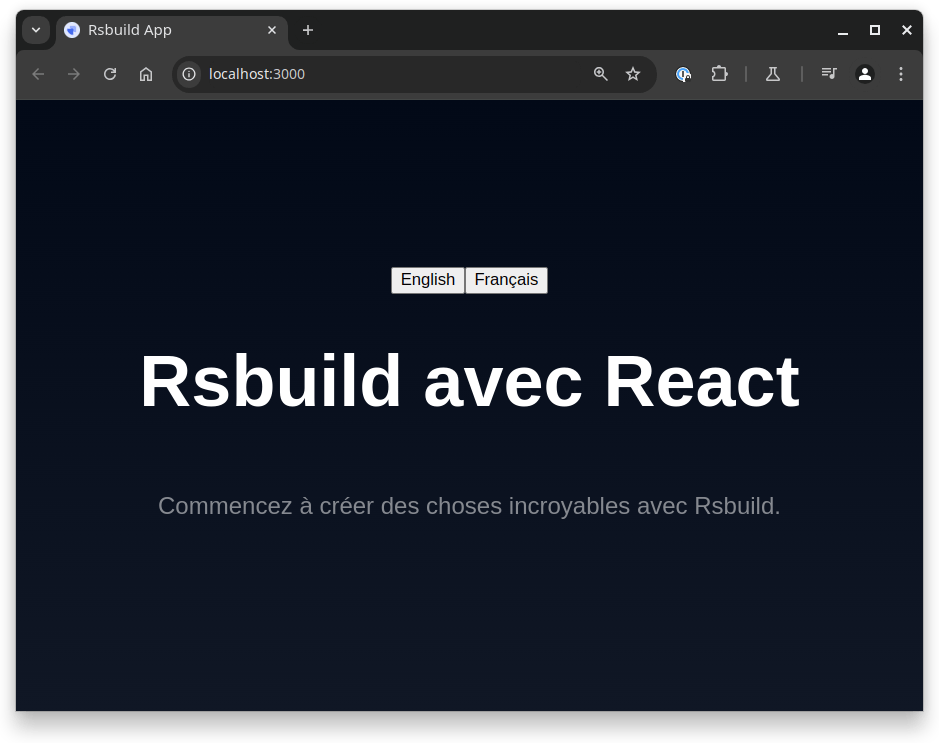
Don’t forget to run npm run compile to get those strings ready for use in your app. After that, run npm run dev to admire your freshly internationalized application!