Mastodon

Contributing to the Cover Art Archive

Launched in October 2012, the Cover Art Archive is a joint project between two non-profits; Musicbrainz and the Internet Archive (legally recognized as a library in California). It aims to create a definitive dataset of CD cover art in the public domain. Cover art exists in somewhat contested legal territory. Its copyrighted artwork, but also part of a products visual identity. Some uses are considered “fair use” and legally OK, other uses result in legal action while the majority, it seems, is just ignored/tolerated. Advice on usage seems to boil down to “its OK to use it until its not”.

Fortunately the Internet Archive is willing to hold that legal hot potato and host the images since this fits with libraries mission to “preserve society’s cultural artifacts and to provide access to them” which they are extending into the digital world. Since cover art is such a big part of the identity of a CD,  a reliable source for cover art is a big thing for developers of audio applications and to organizations such as libraries who typically have large catalogues of CDs. Displaying cover art is an important part of the user interface of many applications such as Banshee.
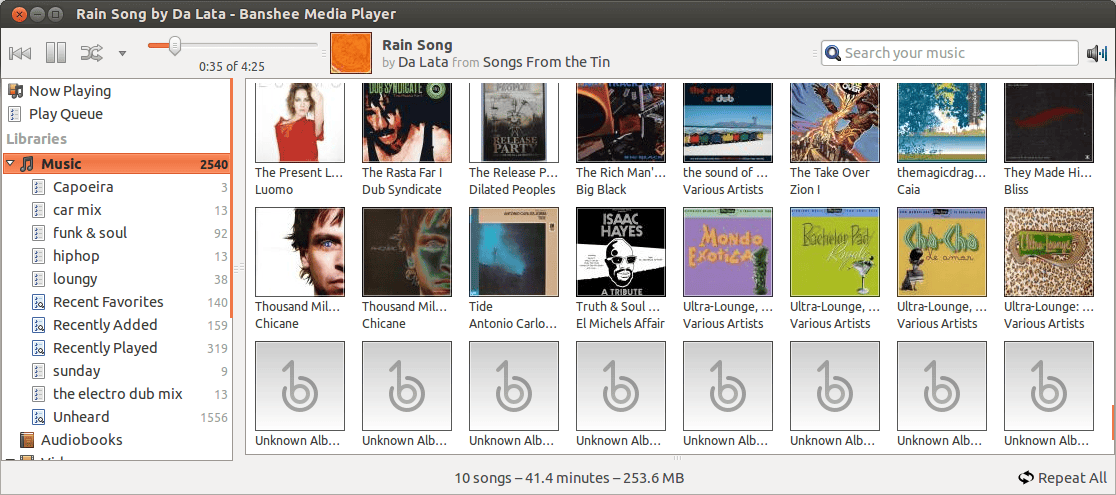
The Banshee Music player displaying album cover art.
The Banshee Music player displaying album cover art.. or not.

While explaining the need for the project, Musicbrainz politely noted that developers needing cover art “can use Amazon product images, but your project needs to be able to abide by their Terms of Service, which doesn’t work for everyone.”
This diplomatic phrasing really undercuts the importance of their project. The problem they are tackling is evident in the first line of the Enrollment section of Amazon’s Terms of service:

Unsuitable applications include those that:

(a) do not have as their principal purpose advertising and marketing the Amazon Site and driving sales of products and services on the Amazon Site;

Apple’s iTunes API has a similar restriction. The difficulty here should be obvious if you are familiar with Lawrence Lessig’s famous Free Culture talk. The refrain he repeats throughout his talk is this:

<refrain>
1. Creativity and innovation always builds on the past.
2. The past always tries to control the creativity that builds on it.
3. Free societies enable the future by limiting the past.
4. Ours is a less and less free society.
</refrain>

Amazon’s product database contains a huge number of cultural artefacts representing a large chunk of our collective past. The restrictions placed on access to that dataset are attempts to control how those in the present build on that past. Whatever you are building, be it a library, or something that acts like one or anything else, the condition for building on this slice of the past is that it must have as its principal purpose driving sales to Amazon. While still in its infancy (there are covers for only 8% of the albums in Musicbrainz), the Cover Art Archive’s aim of providing data without such restrictions is certainly a worthy of support.

So what does support look like? Adding cover art to the archive is done through the Musicbrainz interface. Pick a CD off your shelf and see if Musicbrainz has the artwork for it. Often when you click the “Cover Art” tab you see something like the following:
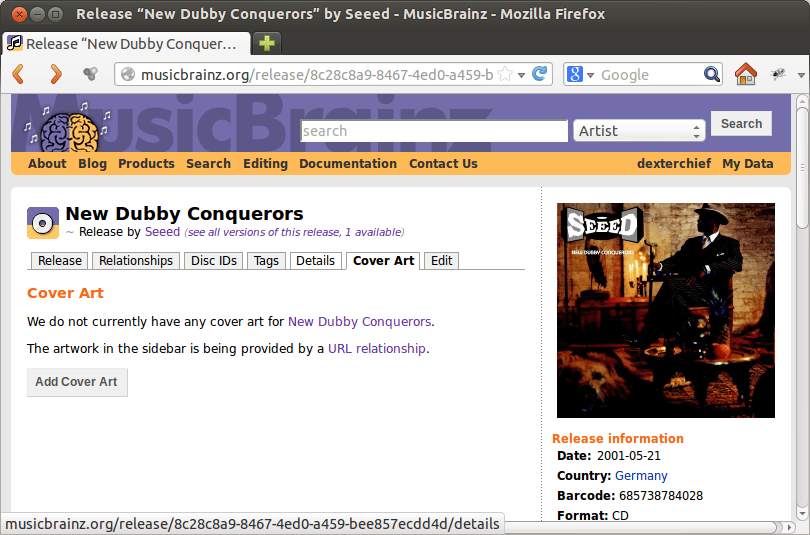
musicbrainz_coverart

If you do, scan the CD cover and upload a JPG image to Musicbrainz. Detailed instructions can be found on their site. They will pass it on to the Cover Art Archive. The covers you added will then be available to any developer using the libcoverart library or the Musicbrainz web API in their programs.

Hopefully this project will give developers the unrestricted datasource they need to explore their ideas without feeling compelled to shoehorn in an Amazon/iTunes sales channel… but it will be your contributions that make it possible.
Contributing to Musicbrainz

Hacking on code is not the only way to contribute to the Free Software / Open Source Software community. Many applications rely on external datasets to provide some or most of their functionality and a contribution there helps all the projects downstream.

Ubuntu’s default music application Rhythmbox as well as Banshee, KDE’s Amarok and a host of smaller programs like Sound Juicer all offer the ability to rip CDs. For this feature to be seen to “work” in the eyes of the user the software needs to correctly identify the CD and add the appropriate album details and track names. To do this, these programs all query the Musicbrainz database and the quality of that response essentially decides the users experience of the ripping process; Will it be a one click “import”, or 10 minutes of filling in track names while squinting at the CD jacket? God help you if you have tracks with accented characters and an English keyboard.

What all this means is that every contribution to Musicbrainz results in a better experience for users of ALL of these programs. When someone somewhere decides to rip their favourite obscure CD, and the software magically fills in the track names and album details, its a pretty happy moment. So if you have wanted to contribute to the Free/Open Source Software community but don’t have the programming chops to do it, contributing to Musicbrainz is one way to help out.

The Musicbrainz dataset is under the Creative Commons CCO license which places all the data in the public domain. This means that your contributions will stay open to the public and we won’t have another CDDB/Gracenote situation where people contributed to a database that ended up charging for access. All you need to get started is to create a Musicbrainz account.

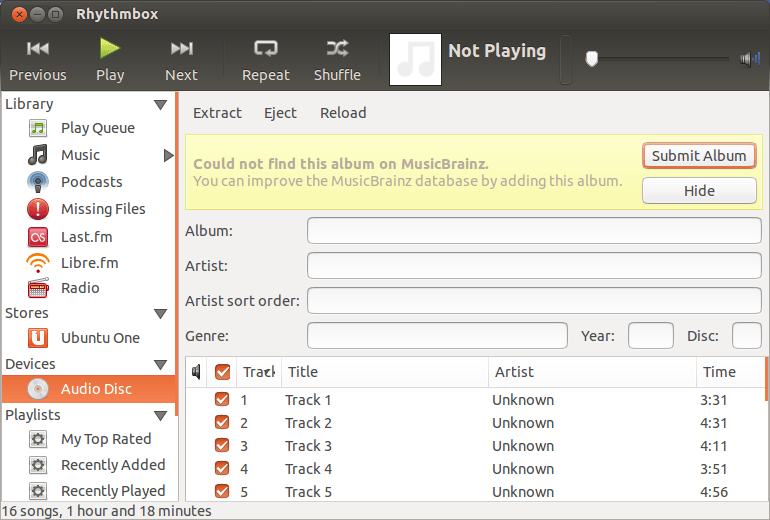
A typical contribution looks something like this. I’ll decide to rip one of my CDs and pop it in the drive. I launch Rhythmbox which will tell me if its not recognized:

rhythmbox_unknown_album2

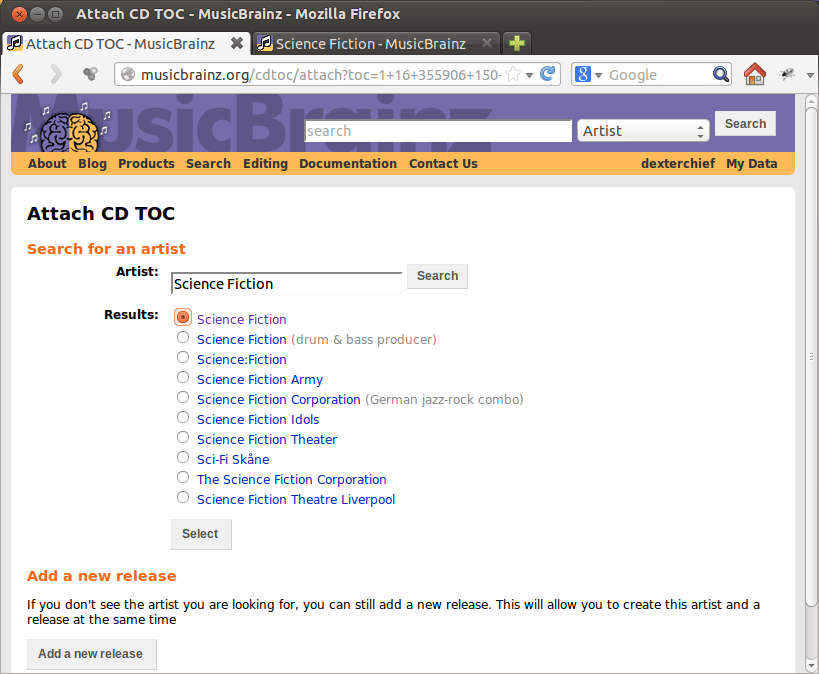
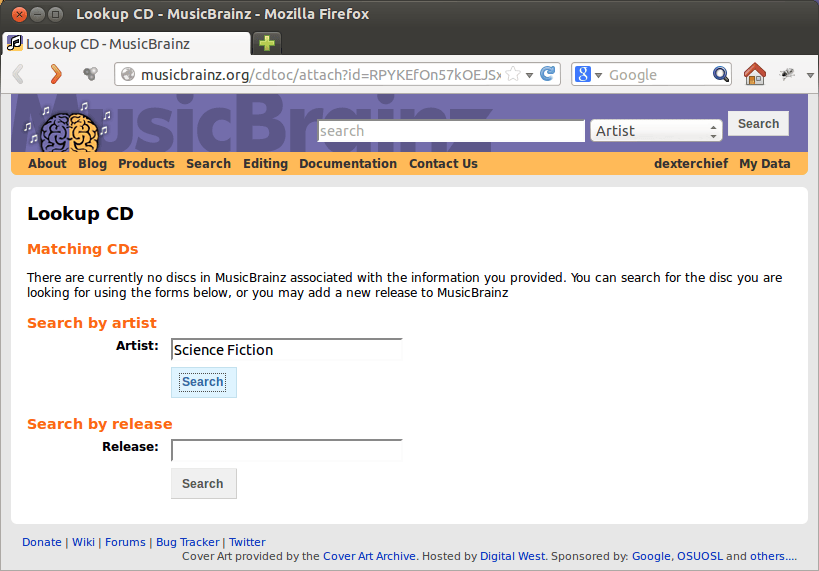
When you click the “Submit Album” button the application will send you to the Musicbrainz website with the Table Of Contents (TOC) information from the CD in the url. Once on the site you will need to search for the Artist or Release to add the TOC to:

musicbrainz_search

Most of the time there will be an entry in the database for the Artist and all that needs to happen is to add the TOC that you are still carrying from page to page in the url to one of the Artists CDs. In cases where the search returns multiple matches I usually explore the different options by ctrl+clicking on the results to open them in separate tabs.

musicbrainz_selected

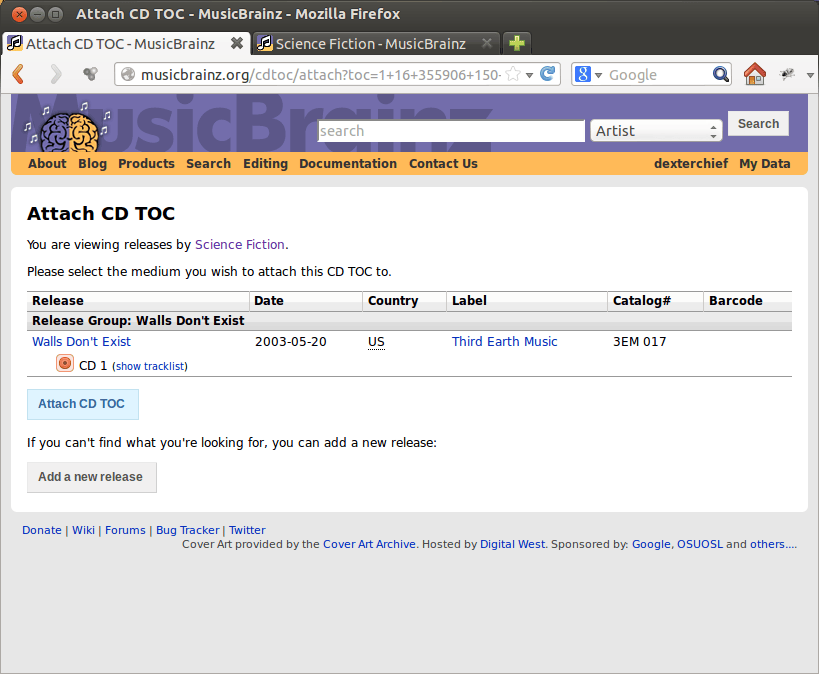
Click through the artists albums until you find the one you are looking for, or add one if you need to. In this case there was one already there (and all the details including the catalog number matched) so my next step was to click the “Attach CD TOC”. This takes the TOC you can see in the address bar and attaches it to that release.

musicbrainz_attaching_toc

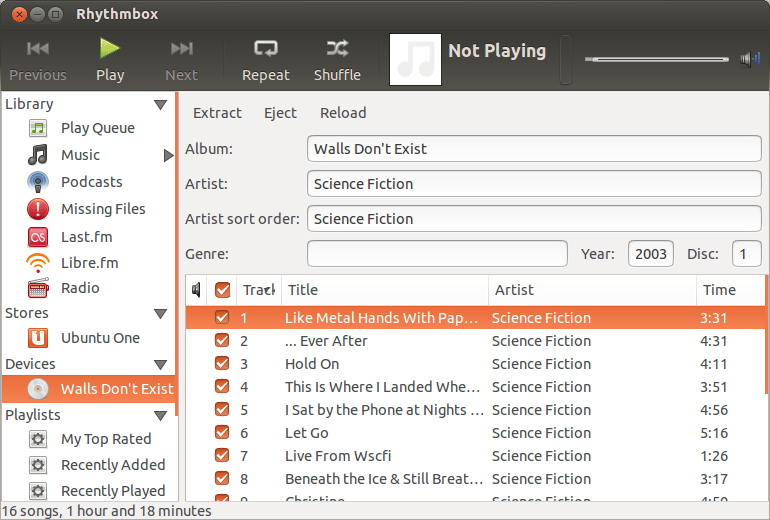
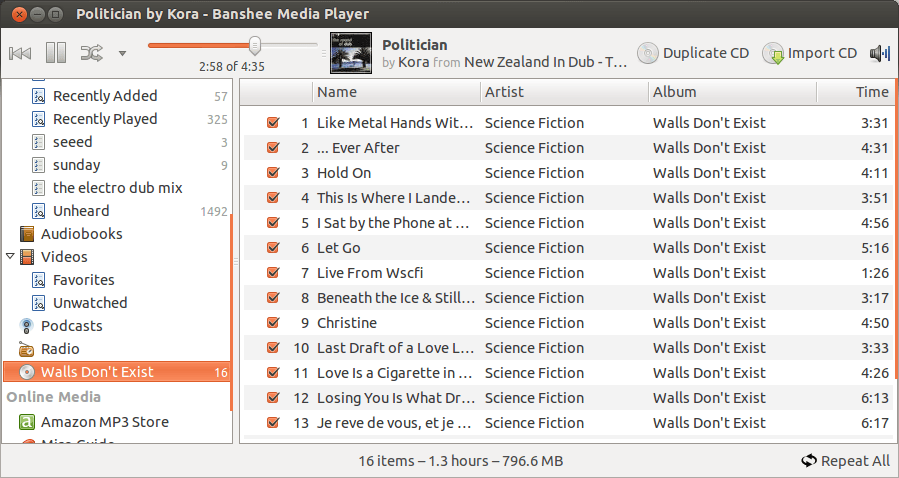
You will be asked to add a note describing where this information you are providing is coming from. In this case its coming from the CD. Add the note and you are done.  What make contributing to Musicbrainz particularly gratifying is that next time you put in the CD, it is recognized right away. My favourite kind of gratification: instant. You can also immediately see the results in Rhythmbox, as well as Banshee and any other application that uses Musicbrainz.

rhythmbox_after

banshee_science_fiction_lookup_after

Its pretty great thinking that the few minutes invested in this process  not only solves your immediate problem of having an unrecognised CD, but also makes software all over the Linux ecosystem just a tiny bit better. That’s a win/win situation if I’ve ever seen one.