Mastodon

Getting to know the Firefox developer tools

Back in 2011 things were not looking good for developer tools in Firefox. Firebug development had slowed and its lead developer took a job with Google after IBM lost interest in funding his work on the project. Mozilla was already working on moving debugging tools into Firefox core but the new dev tools were pretty uninspiring compared to what Chrome had. Myself and pretty much every other developer I know eventually ended up using Chrome for development work, which eventually translated into using Chrome all the time.

Well, I’ve been spending more time in Firefox lately, and am happy to see Mozilla has been rapidly closing the gap with Chrome on the dev tools front.
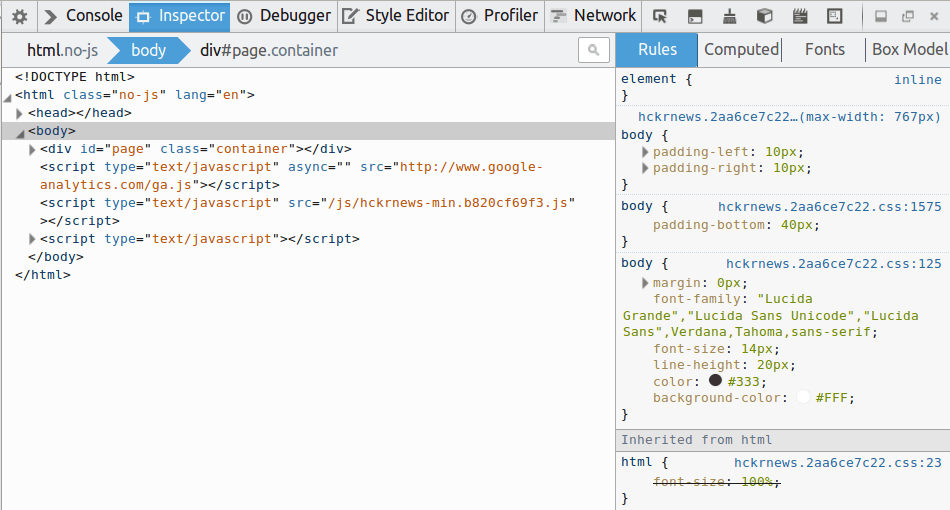
Firefox developer tools

One of the major frustrations with the Firefox dev tools was removed with Firefox 29’s new ability to disable the cache. Strangely there does not seem to be a way to set this permanently (it’s forgotten each time you close the dev tools!), but at least it exists.
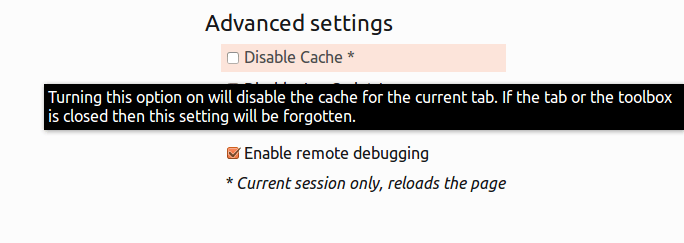
Disable cache!
Finally a way to disable the cache!

The challenge of the dev tools is in presenting a huge amount of information to the user in as compact a way as possible. After working with the Firefox dev tools a little it feels like the focus is less on piling in features trying to match Chrome and more on clear presentation of the essentials. “Clarity over parity” I suppose you could say. This approach is really visible if you compare the Network timings in Firefox and Chrome:
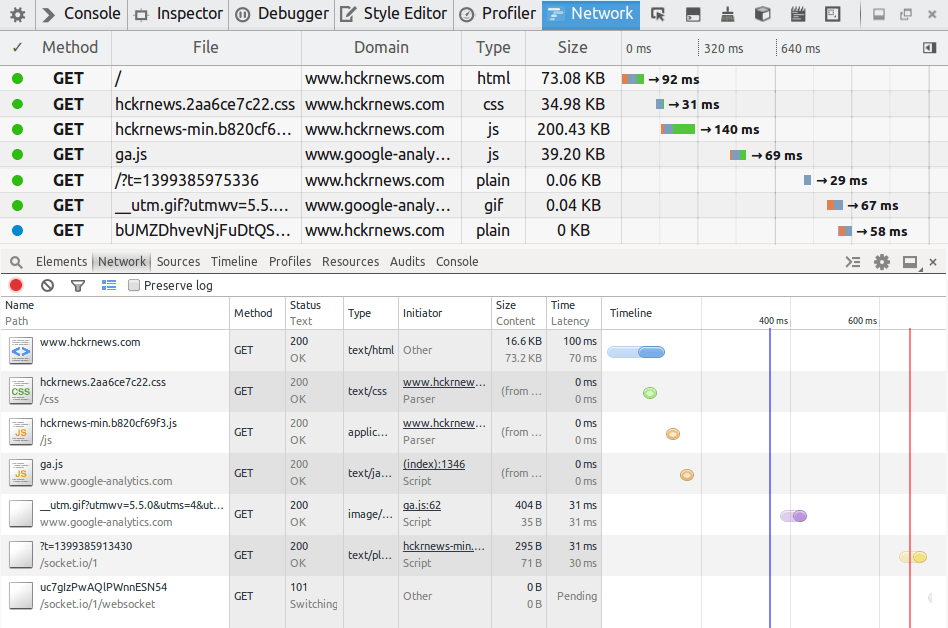
The network timings from Firefox and Chrome

The network timings from Firefox (top) and Chrome.

I think its far more clear in Firefox that the total time for a request is the sum of a few different times (DNS resolution, connecting, sending, waiting, receiving), while its really not clear what is going on in Chrome until you start digging.

One thing I was happy to notice was that the famous Tilt addon has been moved into core and incorporated into the dev tools (update: 3D View now needs to be enabled in the settings).

See your page in 3D
See your page in 3D

While this might have been written off initially as a WebGL Demo or a bit of a gimmick, I think its super useful for finding and eliminating unnecessary nesting of elements so I am really glad to see it find a home here.
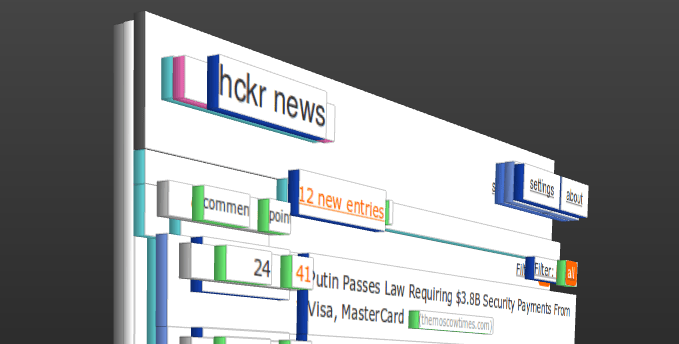
3d_hckrnews

The dev tools also feature a responsive design mode which allow you to simulate arbitrary screen sizes. While the responsive design mode is really nice, I really like to be able to debug pages live on my phone. Fortunately Mozilla has made that possible by using the adb tool that the Android SDK provides. On Ubuntu you can install it from the repos:

mike@sleepycat:~☺  sudo apt-get install android-tools-adb
Setting up android-tools-adb (4.2.2+git20130218-3ubuntu16)
...

Then you will need to enable remote debugging in your Firefox mobile settings:

Screenshot_2014-05-05-21-46-06

With that done you should be able to see the mobile browser in the adb’s list of devices:

mike@sleepycat:~☺  adb devices
* daemon not running. starting it now on port 5037 *
* daemon started successfully *
List of devices attached 
0149B33B12005018	device

To connect run

adb forward tcp:6000 localfilesystem:/data/data/org.mozilla.firefox/firefox-debugger-socket

and the choose Tools > Web Developer > Connect… from your Desktop Firefox’s menu. It will bring up a page like this:
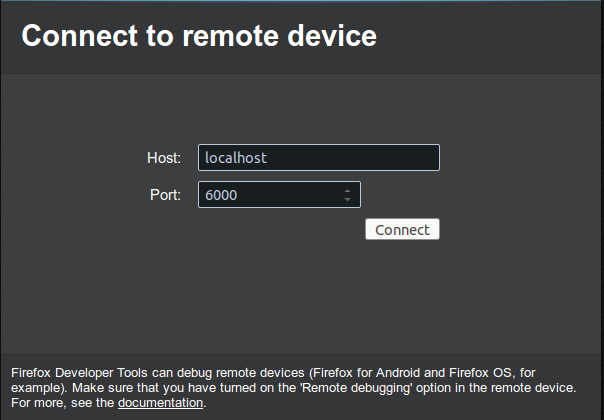
Connecting to Firefox mobile for remote debugging

When you click connect you should see this on the screen of your mobile device:

Screenshot_2014-05-05-21-49-47

While the dev tools are still missing a few features I like from the Chrome dev tools (mostly being able to get a list of unused CSS declarations), all my day to day use cases are well covered. In fact, while I rarely used network timings before, the clearer presentation of them has made me realize how much valuable information was in there.

Its been good to dig into these tools and find so much good stuff going on. It feels like there was a bit of a rocky transition from Firebug to the new dev tools, but clearly Mozilla has found it’s feet. I’m looking forward to exploring further.
XUL with HAML?

I was playing around with XUL today. I was modifying a my ffkiosk application I made a little while ago and experimenting with adding some buttons and a toolbar to it. While XUL is relatively simple stuff, I find its pretty verbose, and as an on and off user of HAML, I also find it ugly.
Then it hit me; I wonder if you can use HAML to write XUL?
The answer is yes:

!!! xml
<?xml-stylesheet href="chrome://ffkiosk/skin/main.css" type="text/css" ?>
%window{id: "main", title: "ffkiosk", onload: "onload();", sizemode: "fullscreen", height: "768", width: "1024", xmlns: "http://www.mozilla.org/keymaster/gatekeeper/there.is.only.xul"}
  %script{type: "application/javascript", src: "chrome://ffkiosk/content/jquery-1.7.2.js"}
  %script{type:"application/javascript", src: "chrome://ffkiosk/content/io.js"}
  %script{type: "application/javascript", src: "chrome://ffkiosk/content/main.js"}

  %toolbar
    %toolbaritem
      %toolbarbutton{label: "I'm a button"}/
    %toolbaritem
      %toolbarbutton{label:"Foo", type:"menu-button"}
        %menupopup
          %menuitem{label: "Bar"}/
          %menuitem{label: "Baz"}/
  %browser{id: "browser", type: "content-primary", flex: "1"}/

Apart from the xml-stylesheet line which HAML can’t deal with (but cheerfully lets pass through) it works really well. The output is totally legit XUL:

<?xml version='1.0' encoding='utf-8' ?>
<?xml-stylesheet href="chrome://ffkiosk/skin/main.css" type="text/css" ?>
<window height='768' id='main' onload='onload();' sizemode='fullscreen' title='ffkiosk' width='1024' xmlns='http://www.mozilla.org/keymaster/gatekeeper/there.is.only.xul'>
  <script src='chrome://ffkiosk/content/jquery-1.7.2.js' type='application/javascript'></script>
  <script src='chrome://ffkiosk/content/io.js' type='application/javascript'></script>
  <script src='chrome://ffkiosk/content/main.js' type='application/javascript'></script>
  <toolbar>
    <toolbaritem>
      <toolbarbutton label="I'm a button" />
    </toolbaritem>
    <toolbaritem>
      <toolbarbutton label='Foo' type='menu-button'>
        <menupopup>
          <menuitem label='Bar' />
          <menuitem label='Baz' />
        </menupopup>
      </toolbarbutton>
    </toolbaritem>
  </toolbar>
  <browser flex='1' id='browser' type='content-primary' />
</window>

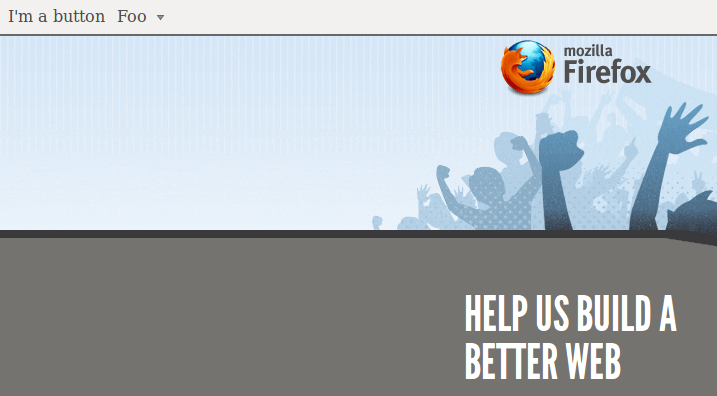
Sure enough XULRunner happily renders it:
xul_haml

At the moment I can’t decide if this is a great idea or totally ridiculous. Hell, I know plenty of people that think that any usage of HAML is ridiculous. I can imagine with a complex UI the typing saved and the clarity gained might be worth it… until someone points out a decent XUL IDE.
An interesting experiment if nothing else.

Firefox 4 Beta on Ubuntu

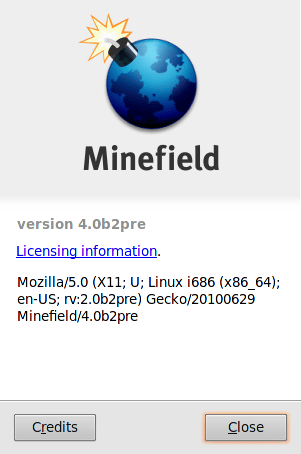
I am playing with the 64 bit version on Ubuntu Karmic and so far is seems pretty great. You can grab a copy here and, once unzipped into a directory you can run it by doing

chmod +x firefox

./firefox

Its generally feels snappy; opens quickly and loads the pages quickly. No crashes yet either. One serious downer is the lack of a 64 bit flash plugin which Adobe has recently withdrawn. Vendors have been selling 64 bit systems for years now, but for some reason Adobe hasn’t been able to release an official 64 bit flash plugin yet. So Mozilla finally launches a 64 bit browser and great swathes of the internet are unusable to anyone who uses it. Nice. No wonder Steve Jobs doesn’t like these guys. The speed the 64 bit gives is needed when dealing with Javascript intensive sites. The javascript driven Visual editor on WordPress, while sluggish at the best of times, is painfully slow with the Beta of 4. Even switching back to the tab running the WordPress editor is sluggish. On the other hand Google maps is noticeably faster and smoother at nearly everything.

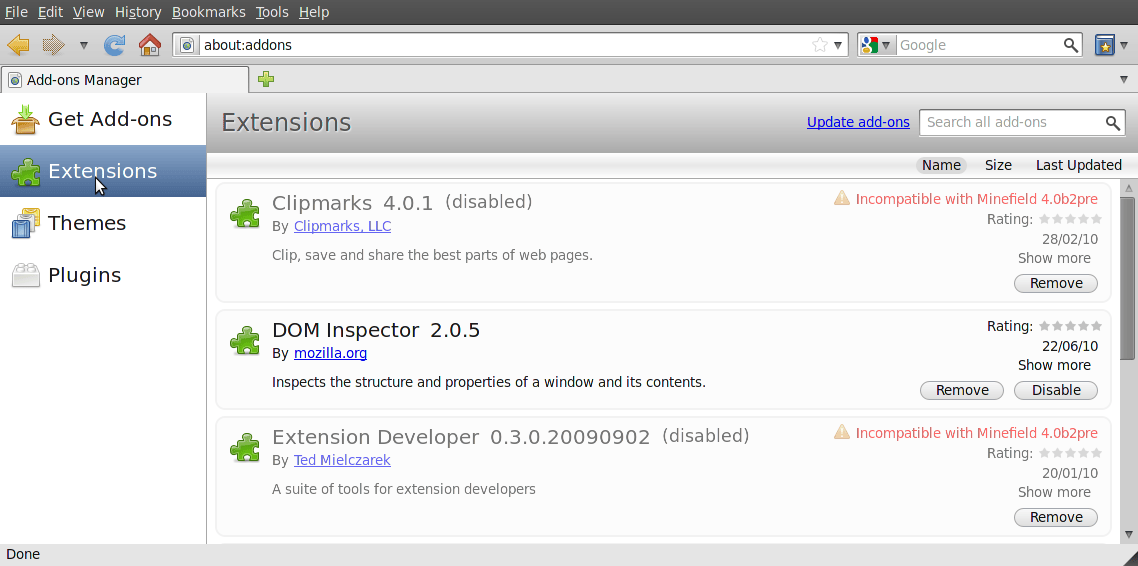
I am also excited by the new Add-ons manager. Mozilla is taking things that typically open a new window and making them run in a new tab instead. This is excellent since the Add-ons definitely require more space than the dialog they were appearing in allowed for. Its interesting that for all the seeming obviousness of the tabbed window design and how long its been around, browser makers are still working on fully integrating the concept into the browser.

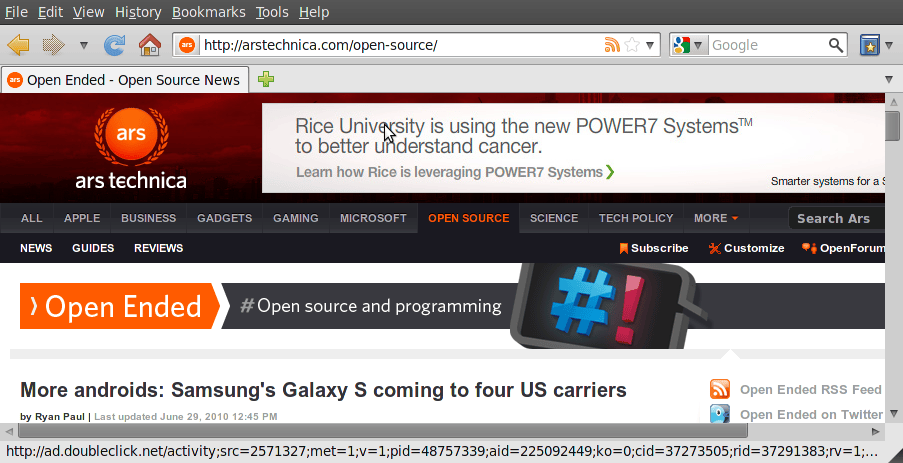
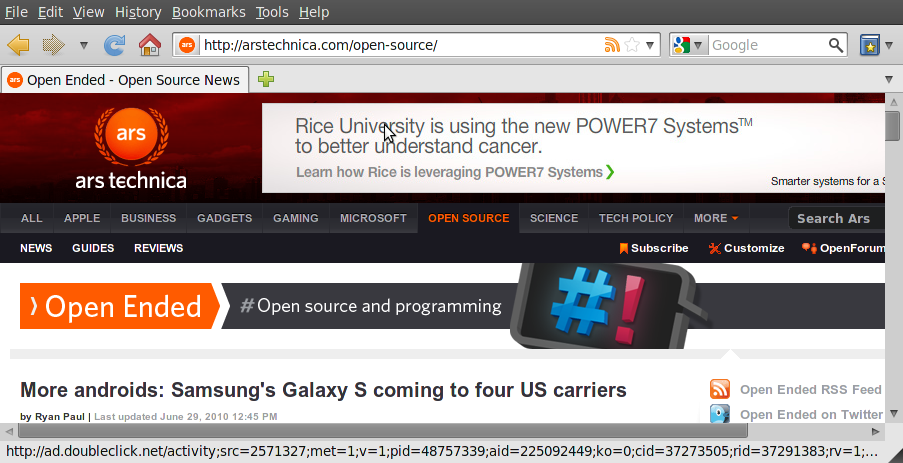
My only disappointment so far is likely not an issue with Firefox at all. When I first saw the mockups I was excited to see that Mozilla was following Chrome’s lead in moving the tabs into the otherwise underused title bar. While I love the screen real estate that Chrome gives, it hasn’t been enough to tempt me away from all the amazing plugins that Firefox has.

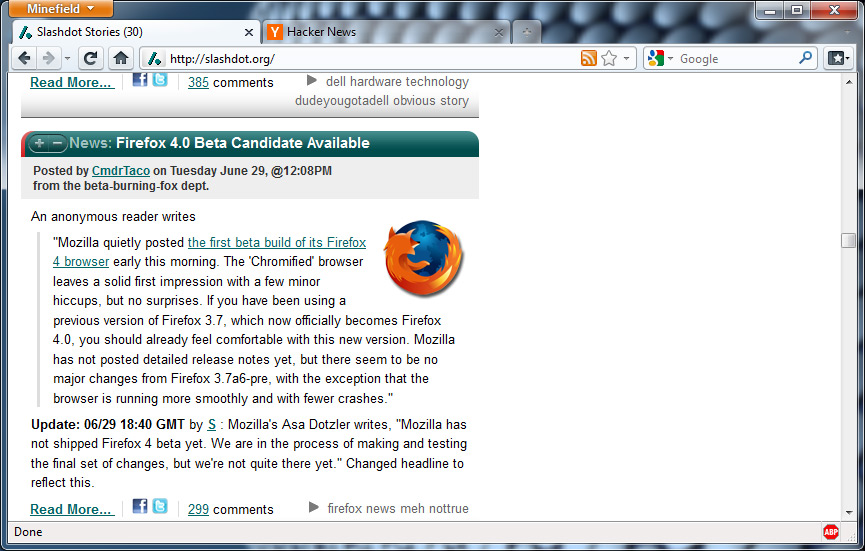
Version 4 was supposed to mean that I got to have my cake and eat it too, adding the look of Chrome to the browser I already use.However while Windows users get the Chrome like interface, on Linux they have merely simulated the effect by hiding the bookmarks toolbar. Irritatingly, the Windows 32bit version gets the full treatment, tabs on top, File, Edit and Bookmarks all hidden away until you hit the ALT key. Its pretty sexy.

Disappointing but my suspicion is that it likely has something to do with the way windows are handled by Gnome, rather than anything to do with Firefox. Hopefully that will be sorted out with Gnome 3. For the moment, fast is good enough.