I have been playing with some JavaFX stuff for a little while now and finally gotten to the point where I am trying to deploy my first program. I was a little naive inn thinking this was going to be an easy process and have been forced to have a good hard look at jnlp files. It turns out that most of your apps deployment options are controlled by editing the XML in that file. After a little reading about the different fields I set to tweaking them to see if I could get the effect I was looking for. After making my changes I crossed my fingers and relaunched my app.
No change.
Check my syntax,
No change.
Try some variations.
No change.
No change.
No change.
Try to effect any change whatsoever by editing fields I know are working like <vendor>Mike Williamson</vendor>.
No change.
A little poking around reveals that Java is thoughtfully caching the jnlp file and has been totally ignoring all my changes since the first time I loaded the app. Thanks Java. I’ll appreciate that someday.
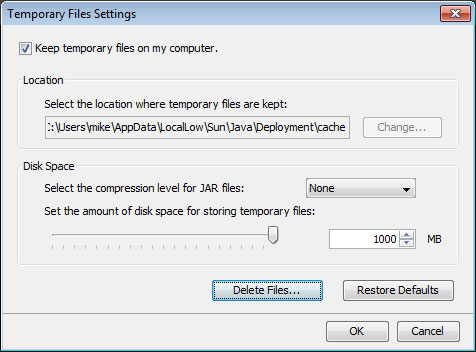
Under windows go to Control Panel > Programs and open the java control panel. Under Temporary Files settings click “delete files” as shown below and suddenly everything works. Yay!