Mastodon

Changing keyboard layout options in Ubuntu 14.04

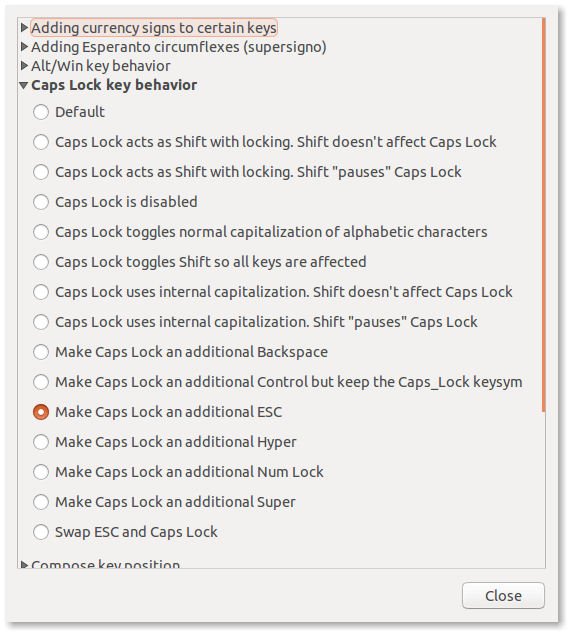
Back in 2012 I switched my caps-lock key to act as a second ESC key. This made a big impact in my Vim usage, and you can understand why when you see the keyboard vi was created with.

Having become reliant on that little tweak, it was a little disconcerting to realize that the keyboard layout options I had used to switch my caps-lock were nowhere to be found in Ubuntu 14.04. It turns out that Gnome (upstream from Ubuntu) removed the settings from the system settings entirely.

Fortunately this is still accessible via the Gnome Tweak Tool.
You can install that like this:

sudo apt-get install gnome-tweak-tool

Once installed you can launch the tool from the terminal:

gnome-tweak-tool

You can find the all the old options under the “typing” option.
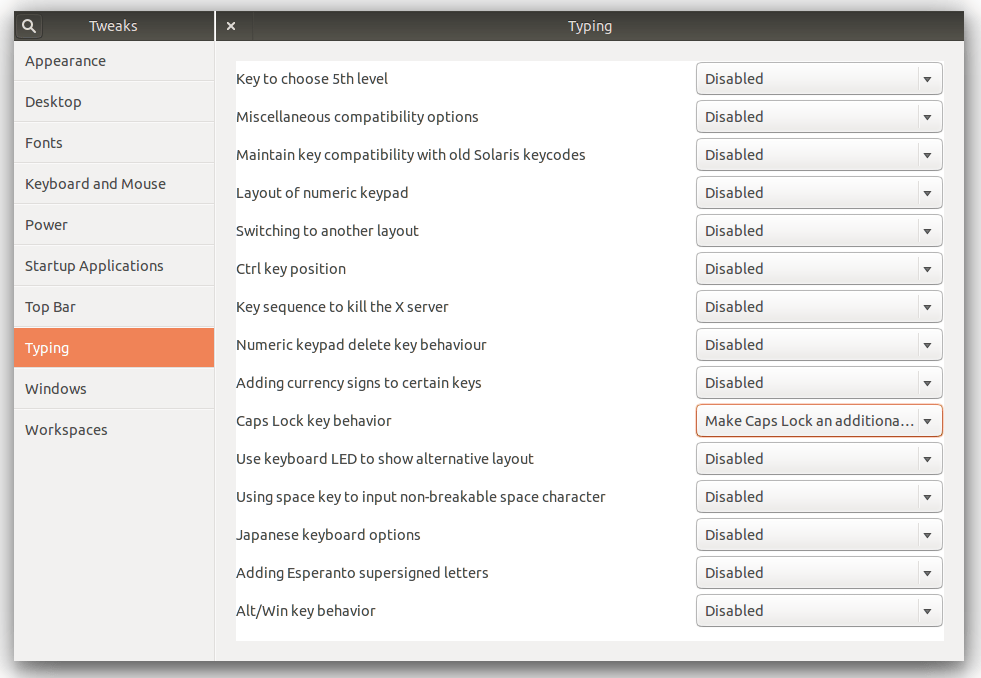
gnome tweak tool

Its a little weird to have such useful stuff suddenly removed from the system settings. Hopefully they will find there way back in a future version, for the moment, my Vim crisis has been averted and that’s enough.
Opening the results of a grep in Vim

This week while removing some deprecated syntax from our old tests I found myself wondering how to take the results of my grep command and open the files returned in vim. Moments like this are great for getting to know your tools better so I decided to figure it out. Opening the files was not that difficult to figure out:

vim -o `grep -ril Factory.build test/`

This did exactly the right thing, a case insensitive (-i), recursive (-r) search of the test directory for the problematic syntax (Factory.build) returning only filenames (-l) and then opening the results in vim. I was able to quickly make my changes with a search and replace. With that done you can then write all buffers and close vim with:

:xa

I really love finding stuff like that. While that solved the immediate need, as written, it would not be able to deal with file names that have spaces in them. Since that sort of thing bugs me, I set up some test files and gave it a try:

mike@sleepycat:~/projects/vimtest☺  tail ./*
==> ./fileone <==
blah
blah
cats
blah

==> ./filethree <==
blah
rabbits
blah

==> ./file two <==
blah
racoons
dogs and cats
blah

After a little tinkering I figured it out with a little help from the xargs man page. Its not something I would want to type often but this will make a very useful alias or script some time:

grep -Zril cats . | xargs -0 sh -c 'vim -O "$@" < /dev/tty' vim